Recently, Microsoft announced a decision to significantly cut back on the amount of free storage space on OneDrive. Many who uses this wonderful service including myself were upset about this step taking by Microsoft and many criticized them publicly in blogs and forums. As a result, Microsoft has admitted that they felt little pressured from the criticism, and gave users the ability to save their free gigabytes. But not everyone, but only those who have time to press the magic button.
Recall that the decision to reduce the number of free gigabytes was caused by the fact that some OneDrive used to store pirated content. Instead of identifying and punishing unscrupulous individual users, the company decided to limit all. As a result, the amount of free space in the cloud have reduced from 15 to 5 GB and deprived people from the bonus for storing photos.
This solution is more than enough, especially given the fact that the cloud OneDrive positioned as a central repository ecosystem for Windows. The remaining 5 GB is not enough for storing photos, music, settings, backup and other data. Now, the company realized its miscalculation and made a half-step back.
Step by step Guide on how to keep your free 15 Gigabytes storage in OneDrive
In order to retain the existing 15 GB and do not lose a bonus for picture storage (it is still 15 GB), you should go to follow the short steps below. It must be done before 31 January 2016.
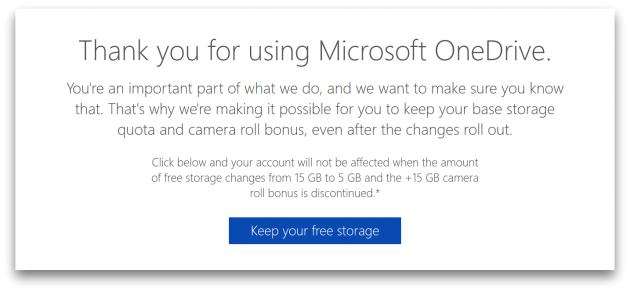
- Goto the following link
- Click on ‘Keep your Free Storage’.
- If you’re not logged into your account, you’ll be asked to in the next page
- Accept the permission notification that pops up in the next page
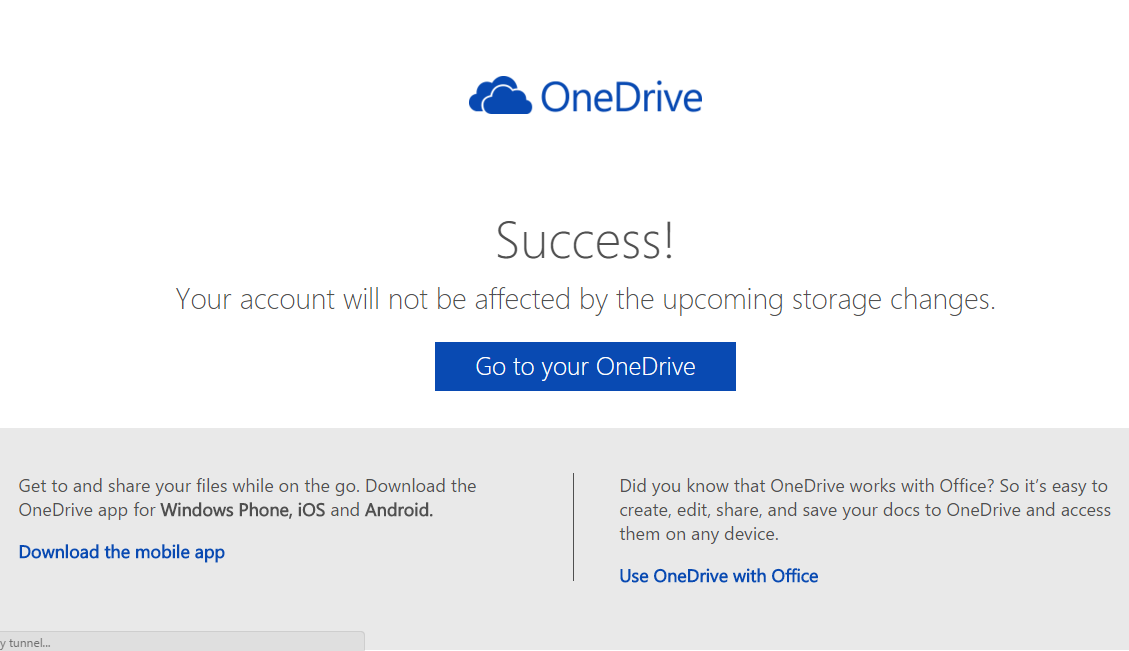
- And that is all, your account will not be affected by the upcoming storage changes is what you get next.
- Note: You must do this before 31 January 2016.
Leave a Reply
You must be logged in to post a comment.